Multiple HR processes in one system
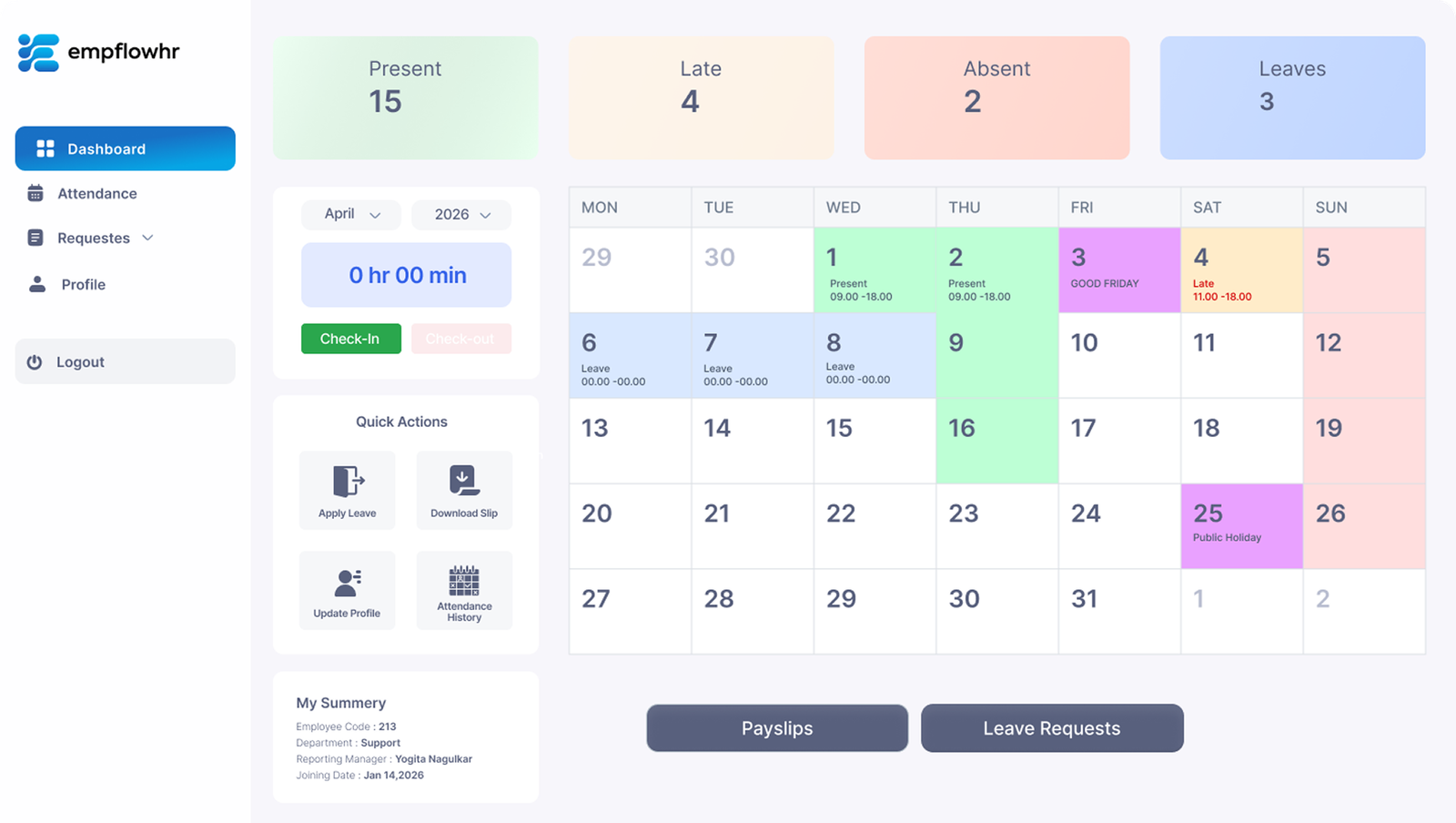
Bring together attendance, leave, payroll, expenses, and employee records in a unified and easy to navigate experience.
HRMS · Product Design Case Study
Designing a connected HR experience for attendance, employee management, and everyday workforce operations.
Live website link not yet provided.
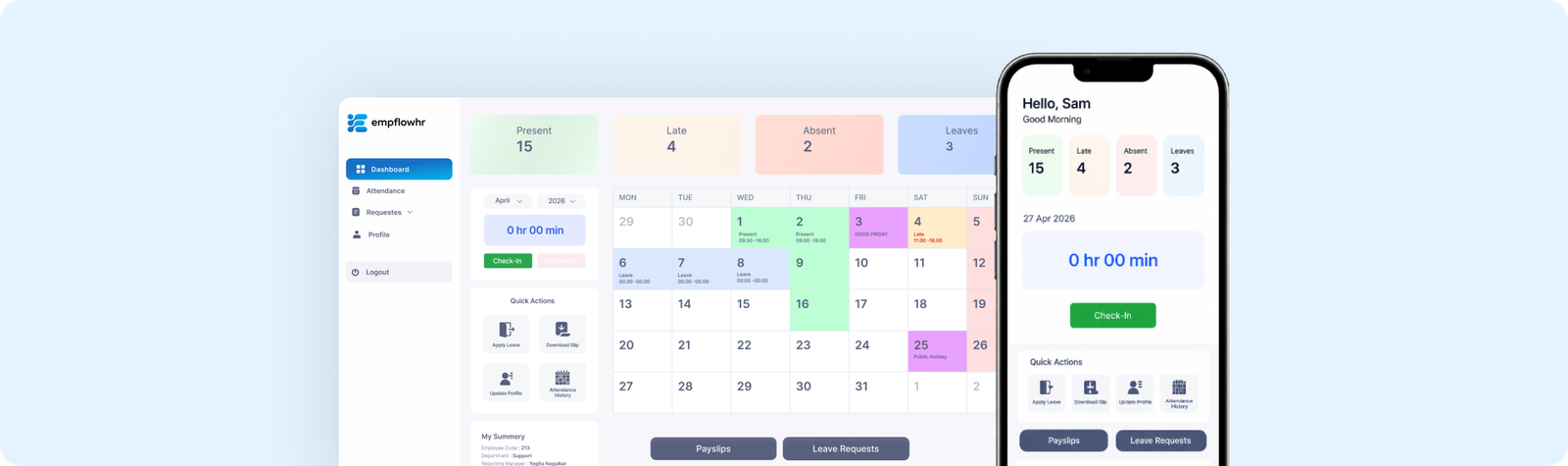
EmpflowHR is a workforce management platform designed to help organizations manage everyday HR operations in one place. It brings together attendance, leave requests, expense claims, payroll, employee records, and approval workflows.
My work focused on designing the product experience and its marketing website, making the platform’s capabilities easier to understand and its workflows easier to navigate.
The Design Challenge
HR teams handle multiple processes that depend on accurate employee information, timely approvals, and clear visibility. Presenting these capabilities in one platform requires a balance between feature breadth and ease of use.
The design challenge was to organize different HR workflows into a coherent experience while making essential information and common actions easy to find.
Bring together attendance, leave, payroll, expenses, and employee records in a unified and easy to navigate experience.
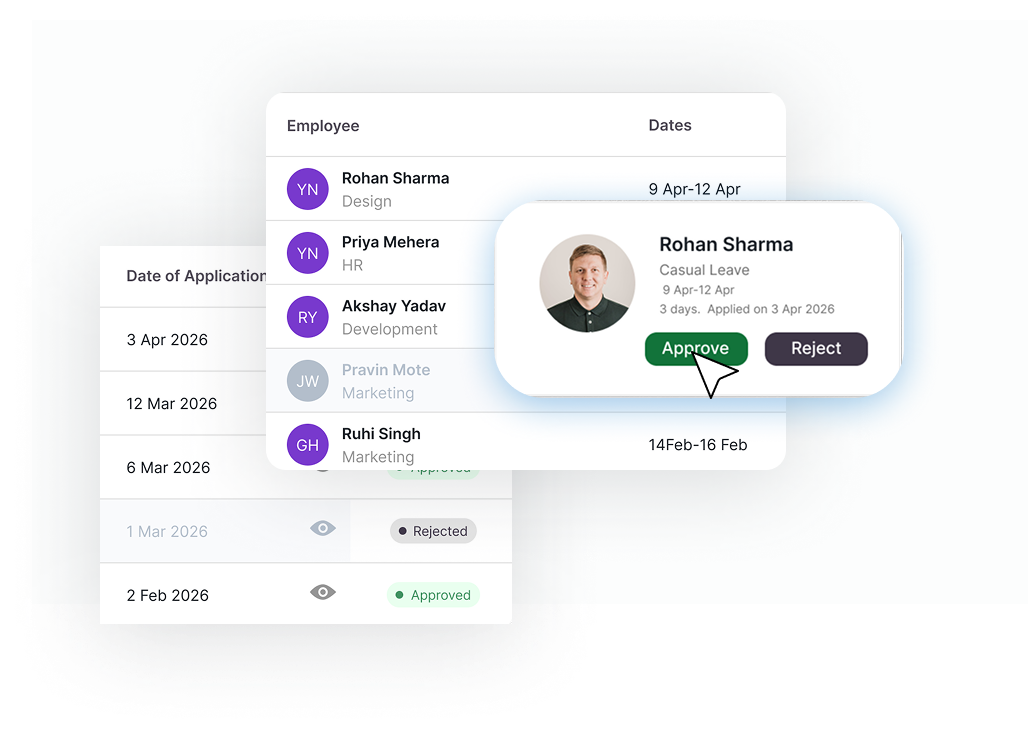
Help HR teams and managers quickly understand the status of requests, approvals, and important workforce information.
Maintain a unified design system and interaction patterns across all modules, so the product feels like one connected platform.
Product Experience & Key Design Decisions
Three key decisions shaped how everyday workforce tasks are organized, understood, and completed.
Design decision
Bring key workforce information and everyday HR operations together in a consistent interface.
UX Principle: Reduce fragmentationWhat it brings to users
Design decision
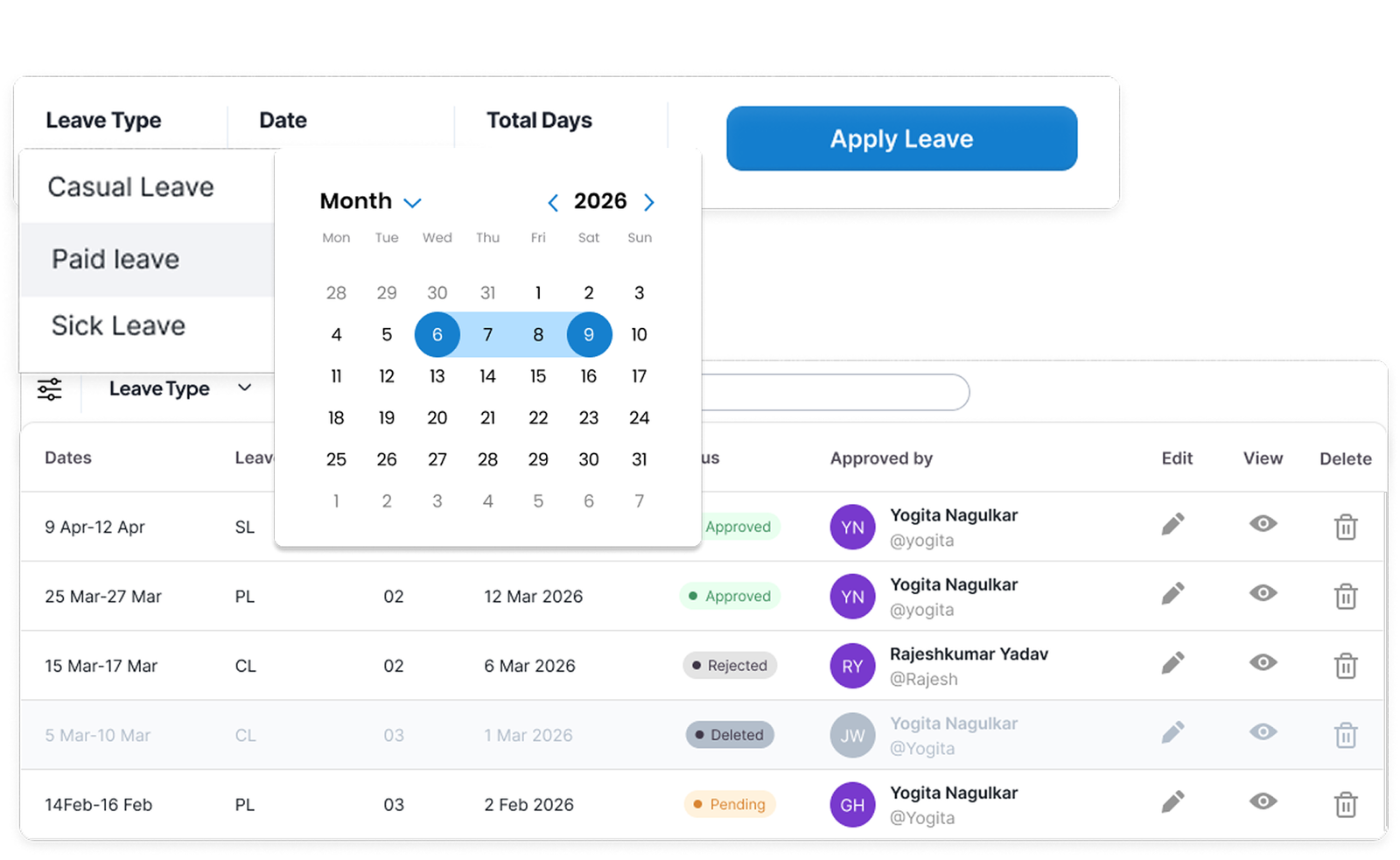
Use structured tables, status indicators, calendars, and focused actions to help users understand requests and their current state.
UX Principle: Improve visibilityWhat it brings to users
Design decision
Maintain a shared visual system across attendance, leave management, expense claims, and employee records so the product feels like one connected platform.
UX Principle: Build consistencyWhat it brings to users
Marketing Website Design
Alongside the product UI, I designed the EmpflowHR marketing website to communicate its capabilities to different business audiences. The website presents common HR challenges, explains key features, and uses product previews to help visitors understand how the platform supports their teams.


Clearly presented key HR modules to help visitors quickly understand what EmpflowHR offers.

Highlighted common HR challenges and how EmpflowHR helps solve them.

Used real product screens to give visitors a better understanding of how the platform works.
Design Outcomes
A connected product experience designed to make everyday HR operations easier to understand and navigate.
Related workforce operations are presented within one product experience.
Structured layouts and status indicators help communicate requests, records, and approvals.
The marketing website and product UI work together to explain the platform.